> ## Documentation Index
> Fetch the complete documentation index at: https://docs.wetrocloud.com/llms.txt
> Use this file to discover all available pages before exploring further.

# How to Access Your API Key

> To get started with Wetrocloud’s API, follow these steps to create your API key

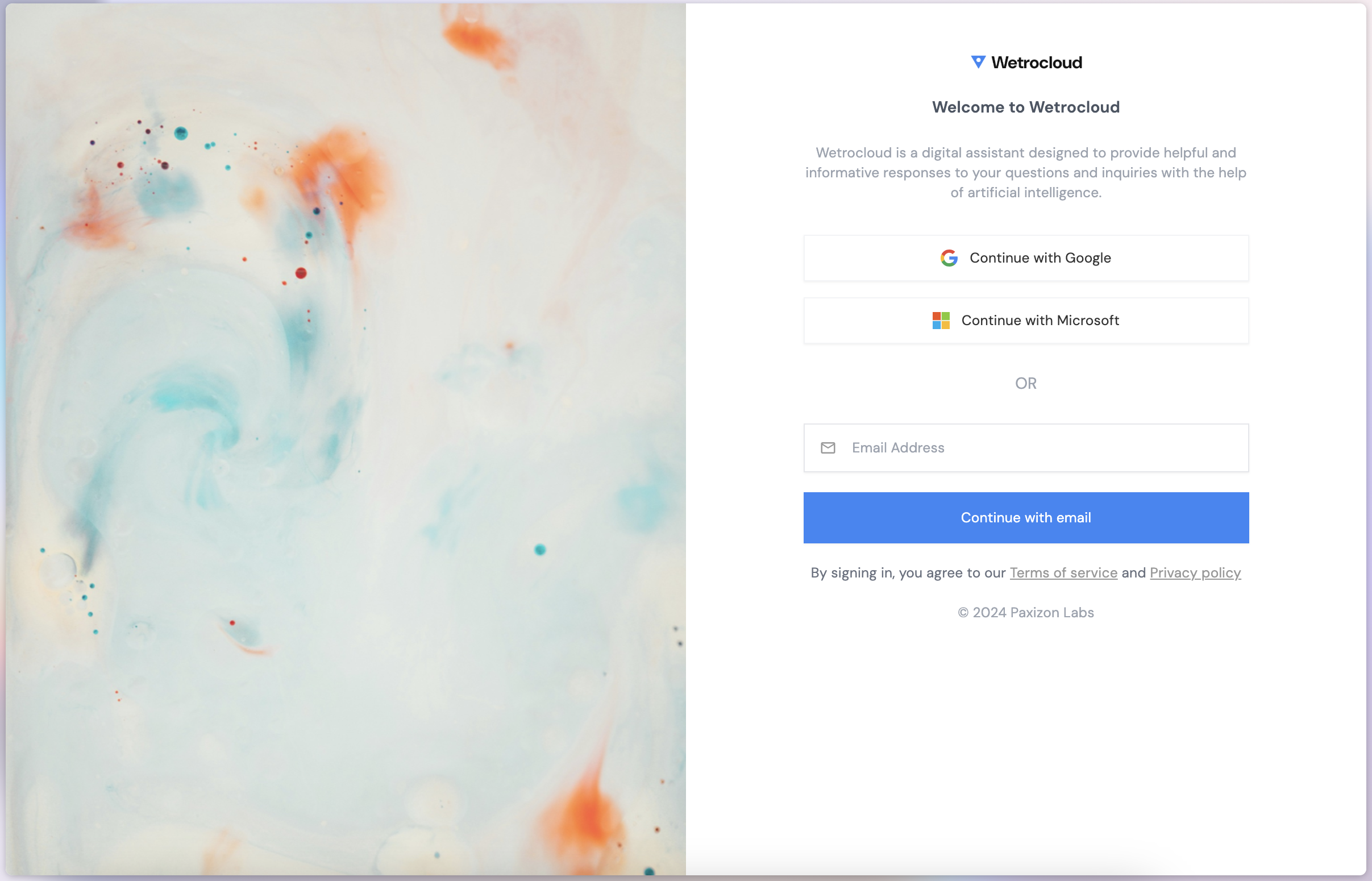
1. Open your browser and go to [Wetrocloud's Console](https://wetrocloud.com/console).

2. Click either of the social logins, or fill out your email address and click **Continue with email** to signup.
<Frame>
  <img src="https://mintcdn.com/wetrocloud/bn7Q7ZnrZksipke2/images/sign-in.png?fit=max&auto=format&n=bn7Q7ZnrZksipke2&q=85&s=54a9034643452c98501a0f860d36cda0" alt="" width="2414" height="1550" data-path="images/sign-in.png" />
</Frame>

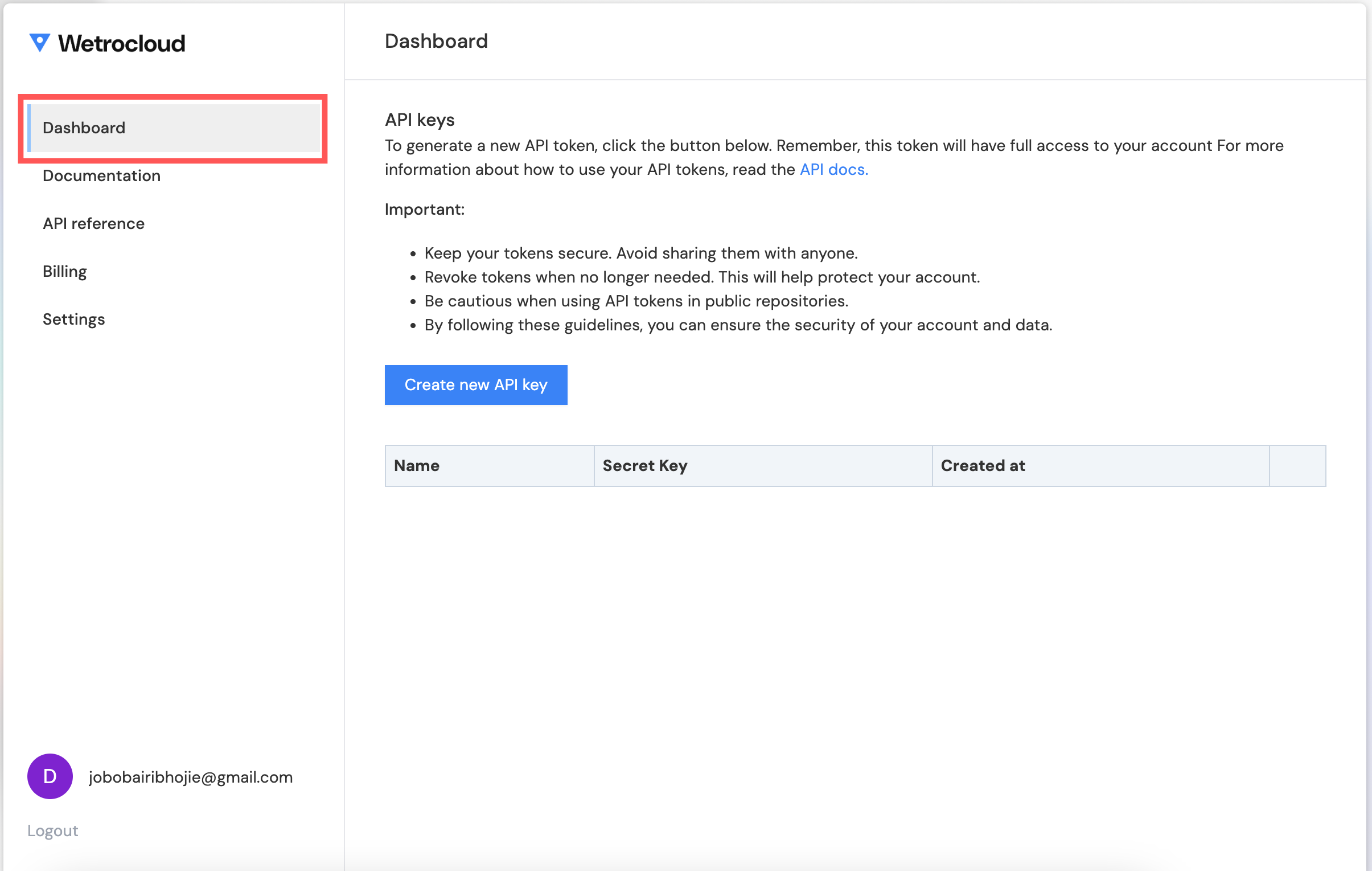
3. Navigate to the **Dashboard** tab in your account dashboard.
<Frame>
  <img src="https://mintcdn.com/wetrocloud/bn7Q7ZnrZksipke2/images/get-api-key/dashboard-tab.png?fit=max&auto=format&n=bn7Q7ZnrZksipke2&q=85&s=e019bba392f0cd14e6ea0f7eebfcd705" alt="" width="2410" height="1552" data-path="images/get-api-key/dashboard-tab.png" />
</Frame>

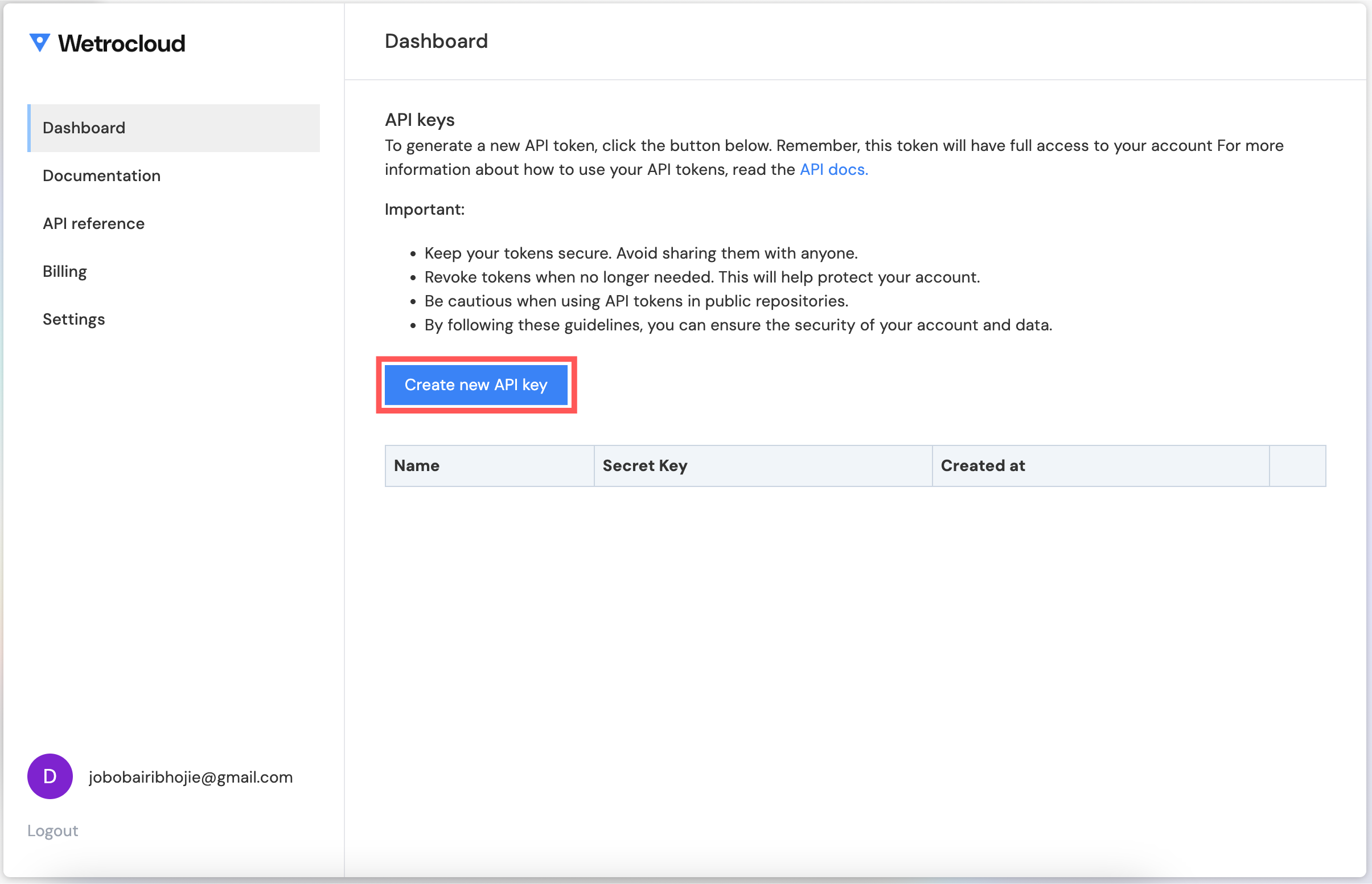
4. Click **Create new API Key** and provide a name for your key.
<Frame>
  <img src="https://mintcdn.com/wetrocloud/bn7Q7ZnrZksipke2/images/get-api-key/create-new-apiKey.png?fit=max&auto=format&n=bn7Q7ZnrZksipke2&q=85&s=ba0f34265d2aa49884a7c3c56ac4f012" alt="" width="2410" height="1552" data-path="images/get-api-key/create-new-apiKey.png" />
</Frame>

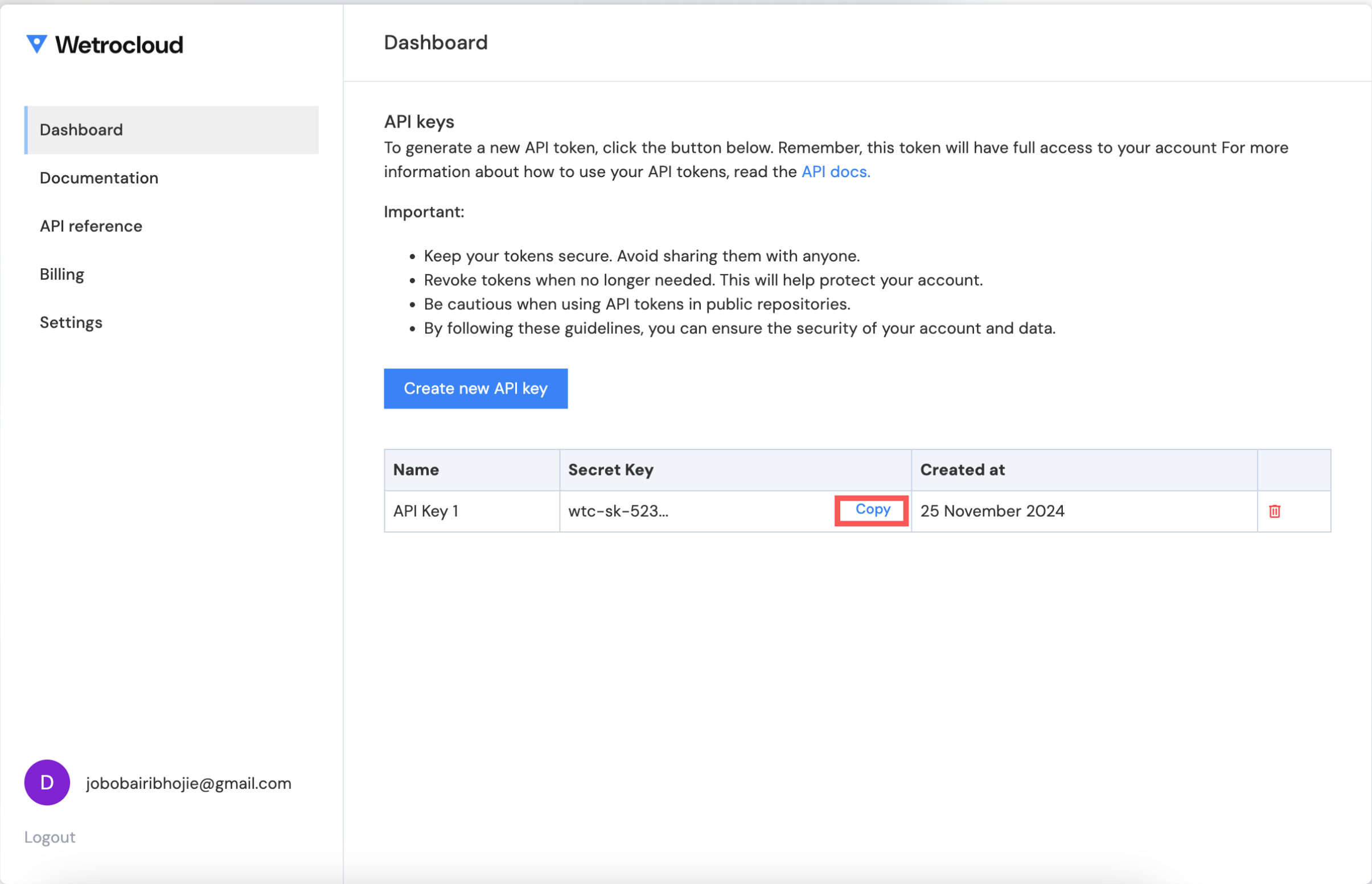
5. Copy the generated API key and store it securely.
<Frame>
  <img src="https://mintcdn.com/wetrocloud/bn7Q7ZnrZksipke2/images/get-api-key/copy-wetrocloud-api.png?fit=max&auto=format&n=bn7Q7ZnrZksipke2&q=85&s=33ae1963a2bc36f5fb9761f33c1957f5" alt="alt" width="2410" height="1552" data-path="images/get-api-key/copy-wetrocloud-api.png" />
</Frame>
